
Your concierge, on every screen.
Every request, every invitation and your card, in one quiet place.
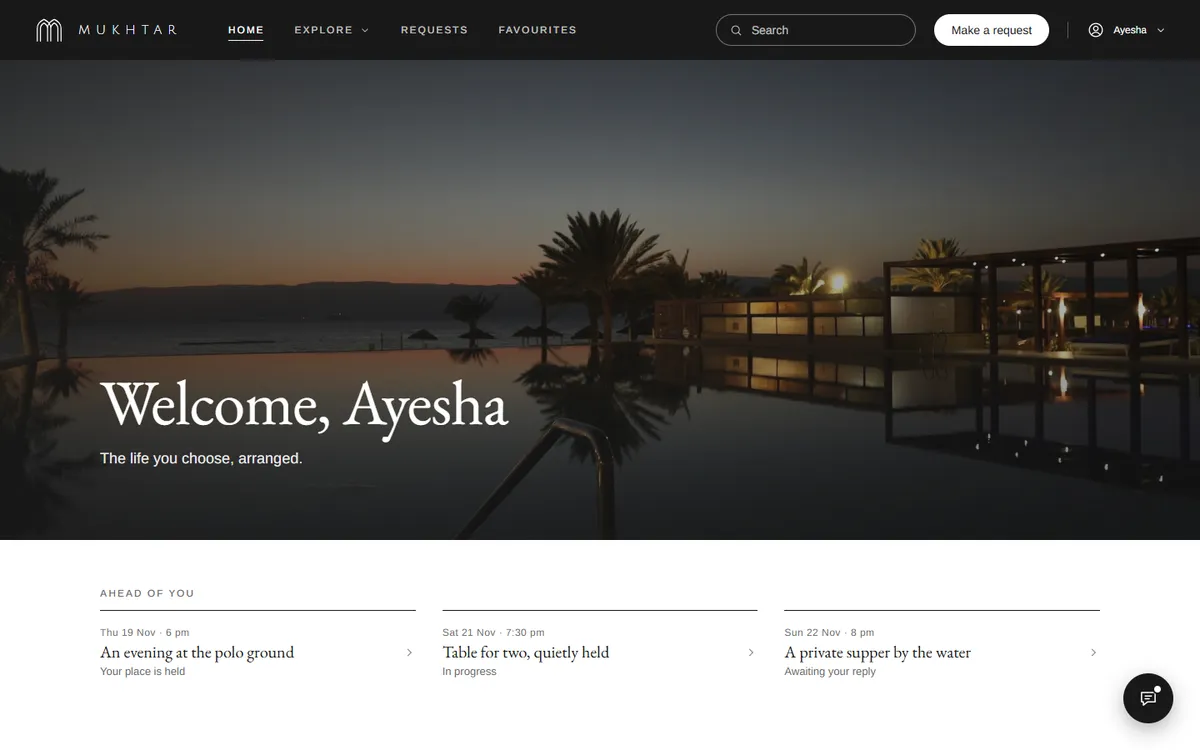
Everything, at your fingertips.
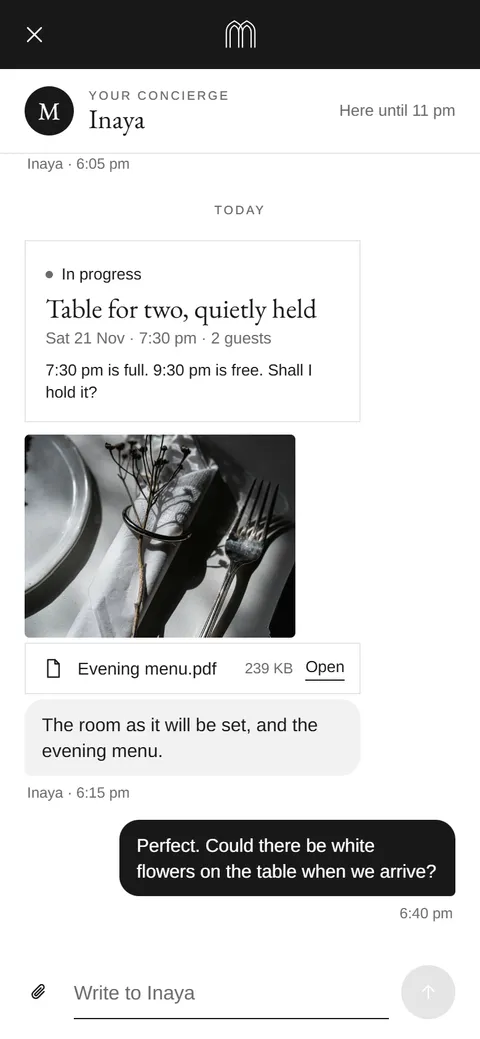
Your concierge
Write to your concierge, in your own words.
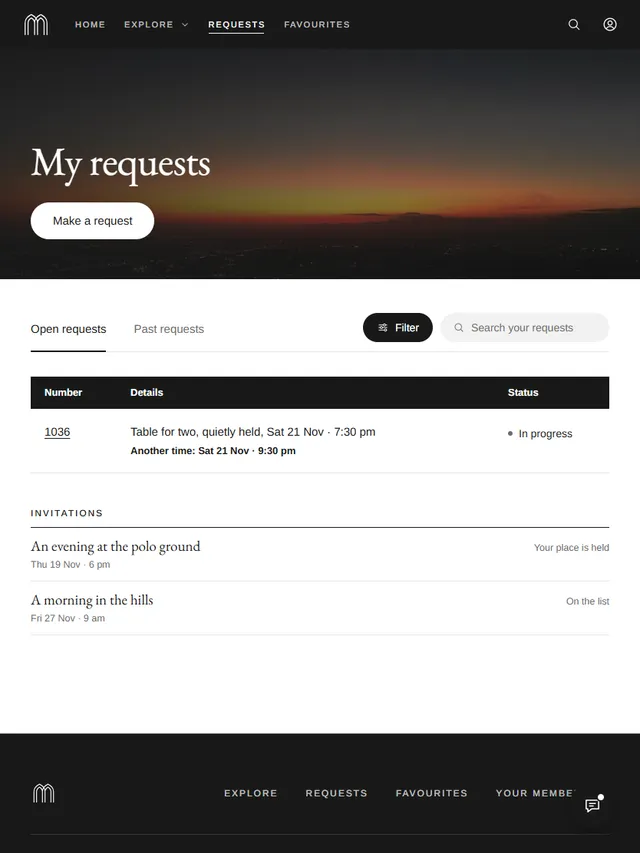
Requests
Every request, followed through, its status always in view.
Experiences
Invitations reserved for members, answered in a tap.
Access Card
Your membership card, always with you.
Explore
Each area of life, gathered in one place.
Favourites
What you love, kept close.
Introduce someone
Bring someone you value into the club.
On every screen
On the web and on your phone, the same concierge.
Your concierge is waiting.
Member loginAbout the app.
How do I sign in?
With your email. We send you a short code, you enter it, and you are in. There is no password to remember.
Where can I use it?
At app.mukhtar.com.pk, in any modern browser on a computer, tablet or phone. On your phone, add it to your home screen and it opens like any other app.
Who can sign in?
Members. Your access begins with your membership.
Can I use more than one device?
Yes. Sign in on each with your email, and everything is there, as you left it.
How do I reach my concierge?
Open Concierge and write in your own words. The reply arrives in the same conversation.
How do I follow a request?
Every request has its place in Requests, with its status as it moves, until it is done.
How do invitations work?
Experiences arrive as invitations. Answer with I’ll attend or Not this time, and bring a guest when the invitation allows.
Is it private?
Your conversations and requests are seen only by you and the Mukhtar team who look after you. More is in our Privacy Notice.
What if I lose my phone?
Sign in from another device and write to your concierge, or to hello@mukhtar.com.pk, and we will help you secure your account.
Can I close my account?
Yes. Delete account sits under Membership in the app, whenever you wish.